
Working outdoors changes the way power needs to be planned. On a construction site, location shoot, temporary workshop or remote inspection job, there may be no convenient mains socket nearby. Even when power is available, running long extension leads across wet ground or busy work areas is not always the most practical option.
A portable power station can create a local power point for laptops, lights, battery chargers and selected tools. The important part is choosing one around the actual load rather than simply buying the model with the biggest number on the specification sheet.
Start by separating watts from watt-hours
Two figures matter when sizing a power station.
Watts describe how much power equipment requires at a particular moment. A laptop may need well under 150W, while a mains-powered tool can demand hundreds or even thousands of watts.
Watt-hours describe stored energy.
A 2,048Wh battery contains roughly twice the nominal stored energy of a 1,024Wh battery. That does not mean every appliance will run for an exact number of hours, because inverter losses, standby consumption and changing loads all affect real-world runtime.
A simple estimate is:
Battery capacity in Wh ÷ average load in W = theoretical operating time
Treat the result as a planning figure rather than a guarantee.
Tools need more attention than laptops and lights
Charging a laptop is relatively predictable. Running mains-powered tools can be more complicated.
Some motors draw significantly more power when they start than while running normally. Compressors, pumps and certain workshop tools can therefore create short peaks even if their normal rated consumption appears comfortably below the power station’s maximum output.
Before connecting any tool, check its rated input and consider startup behaviour.
A portable power station should have enough continuous output for the equipment you intend to run, with sensible headroom rather than operating permanently at the limit.
If a manufacturer’s tool documentation lists starting, surge or peak requirements, those figures matter as well.
Battery chargers are often easier than running tools directly
For cordless-tool users, the most efficient workflow may be to run the battery charger rather than power the tool from the station itself.
That turns the power station into a central charging base. One battery can be in use while another is charging, and several smaller chargers can potentially share the same station.
This is particularly useful when work moves around a site.
Instead of carrying the main power station to every task, it can remain in a dry, protected base area while charged tool batteries move with the operator.
The same approach works well for camera batteries, radios and other rechargeable site equipment.
Laptops benefit from high-power USB-C
Many work laptops can now charge directly over USB-C.
That is useful because it can avoid using an AC socket purely for a laptop power brick. A high-power USB-C connection sends power directly to a compatible computer, reducing cable clutter around a temporary workstation.
This matters particularly for surveyors, photographers, drone operators and field engineers who may need a computer running for several hours outdoors.
If the laptop supports high-power USB-C charging, check both the power station port and the cable. A port capable of 140W will not deliver that full figure if the connected device or cable supports less.
LED lighting is one of the most practical site loads
Modern LED work lights are well suited to portable battery power because they can provide strong illumination without the continuous consumption of older lighting technologies.
A few LED panels around a temporary work area may use considerably less energy than a large power tool.
That means a power station can often run lighting for many hours even when the same battery would be depleted much faster by heavy equipment.
For location filming, this is particularly useful. Cameras, monitors, laptops and LED lights can all share one central supply, reducing the need for a generator on smaller productions.
It also makes it easier to work in areas where noise is a concern.
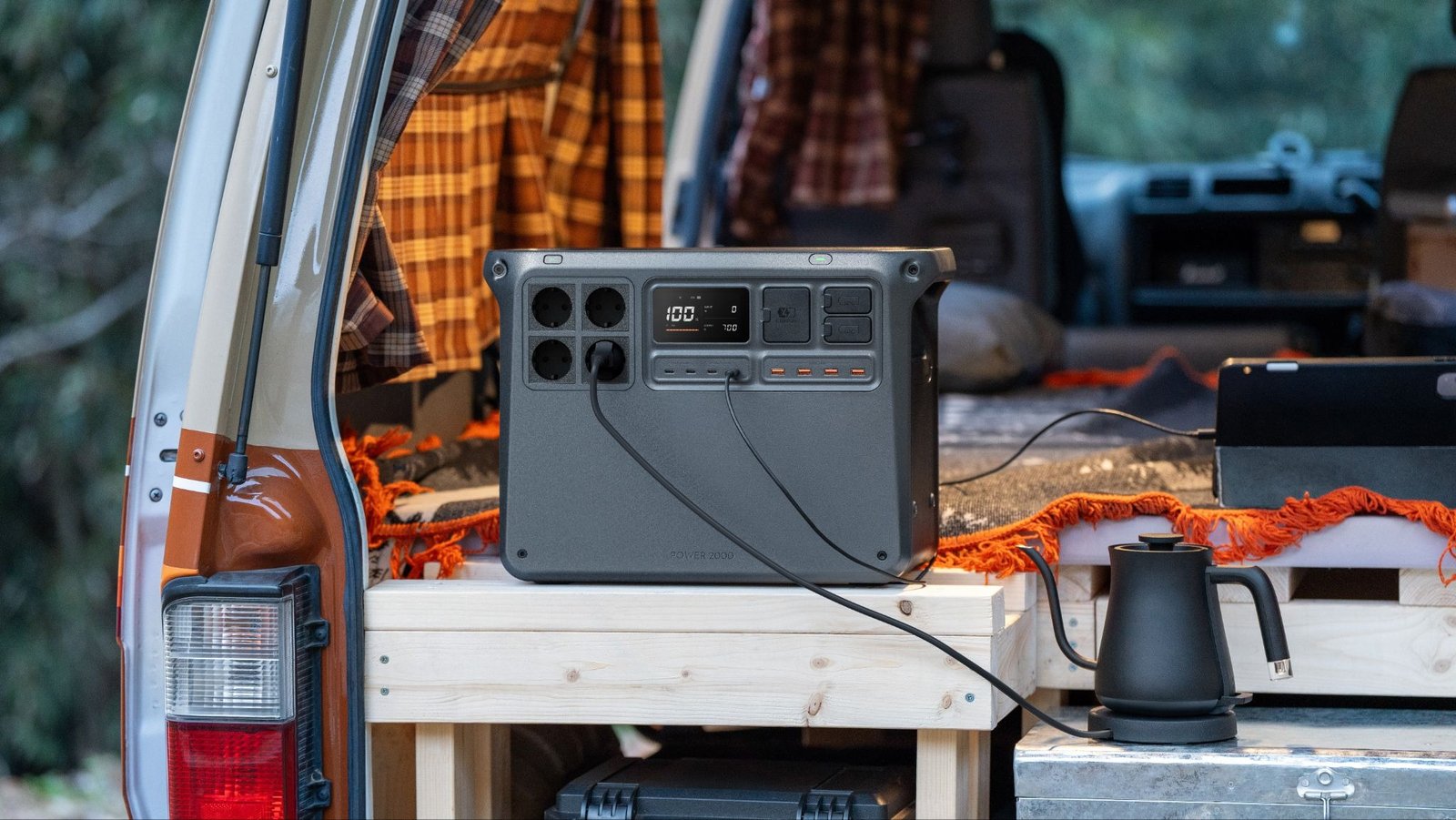
DJI Power 2000 is the stronger choice for mixed work-site loads
For jobs involving tools as well as electronics, DJI Power 2000 is the most capable current option in the range.
It provides 2,048Wh capacity and up to 3,000W continuous AC output. That combination gives substantially more headroom than a small camping-oriented battery when several devices need power at once.
It also provides four AC outlets, four USB-C ports and four USB-A ports.
Two of the USB-C ports support up to 140W each, while the other two support up to 65W each. That allows high-power laptops to charge alongside phones, tablets, radios and other smaller devices without using every AC socket.
For a temporary workstation, that port layout can matter almost as much as the maximum output figure.
2,048Wh creates more useful working reserve
Capacity becomes important when the load stays connected for hours.
Suppose a collection of laptops, networking equipment and lights averages 400W. Dividing 2,048Wh by 400W gives a theoretical figure of just over five hours before conversion losses and other factors are considered.
A 1,000W average load would reduce the theoretical figure to a little over two hours.
This illustrates why a 3,000W output rating should never be confused with runtime. Power 2000 can support demanding loads, but a tool drawing close to the maximum output continuously will use the stored energy rapidly.
For intermittent power tools combined with lower-powered electronics and charging, the same battery can last much longer.
Multiple outlets reduce unnecessary swapping
A work-site power source often needs to support more than one task.
One socket may be running a tool charger while another powers lighting. USB-C ports may be charging laptops, while USB-A handles a smaller accessory.
Power 2000’s four AC, four USB-C and four USB-A outputs make that easier to organise without constantly unplugging one device to make room for another.
The station weighs approximately 22kg, so it is better suited to a fixed site base, vehicle or production area than to being carried continuously from one location to another.
That weight is the trade-off for the larger 2kWh-class battery.
Power 1000 V2 is easier to move around site
Not every outdoor job needs 2,048Wh.
For a smaller crew running laptops, lights, battery chargers and occasional tools, DJI Power 1000 V2 offers a more portable alternative.
It has 1,024Wh capacity, up to 2,600W continuous output and weighs approximately 14.2kg. It also provides two 140W USB-C ports with up to 280W combined output.
That makes it particularly useful for mobile technical work where the station may need to move between a vehicle, temporary desk and different parts of a site.
The key difference is capacity rather than basic capability.
Power 1000 V2 can handle substantial loads, but its roughly 1kWh battery means long-running equipment will exhaust the available energy sooner than with Power 2000.
For a day’s laptop work and lighting, that may be perfectly reasonable. For repeated tool use and multiple workers, the 2,048Wh Power 2000 gives more breathing room.
Recharging strategy matters on multi-day jobs
A portable power station is much more useful when there is a plan for putting energy back into it.
Both DJI Power 1000 V2 and Power 2000 support charging options across the DJI Power ecosystem, including grid, vehicle and solar solutions.
For a vehicle-based team, recharging between locations may be useful. For a fixed outdoor site, solar can contribute energy during daylight when conditions are suitable.
The amount of solar energy available will depend on panel size, weather, orientation and shading, so panel wattage should not be treated as a guaranteed continuous input.
For professional work, it is better to plan around conservative energy estimates and treat good solar conditions as additional margin.
Keep the station protected from the site itself
Outdoor work introduces dust, moisture, mud and impact risks that do not exist in an office.
A portable power station should be placed on a stable, dry surface where cables are not creating a trip hazard. It should not sit in standing water or be treated as though it were ordinary weatherproof site equipment unless the manufacturer explicitly specifies that use.
Ventilation also matters. Avoid surrounding the unit with bags, clothing or other materials that could interfere with heat dissipation.
For work around heavy machinery or moving vehicles, place the station somewhere clearly visible and away from traffic routes.
Choose around the hardest load, then check the capacity
The easiest way to select a site power station is to work backwards.
First identify the single most demanding device you expect to run and confirm that the station can support its normal and startup requirements. Then add the loads that may run simultaneously.
After that, calculate how long the combined equipment needs to operate and compare that with battery capacity.
For a mobile crew focused on laptops, lights and charging cordless batteries, DJI Power 1000 V2 offers a strong balance of 1,024Wh capacity, 2,600W output and manageable weight.
For heavier mixed workloads, DJI Power 2000 is the more complete site solution. Its 2,048Wh battery, 3,000W continuous output and larger collection of AC and USB ports provide more room for tools, computers and lighting to operate together.
The aim is not to replace every mains supply with a battery. It is to create reliable power exactly where the work is happening, without carrying more capacity than the job actually requires.
