
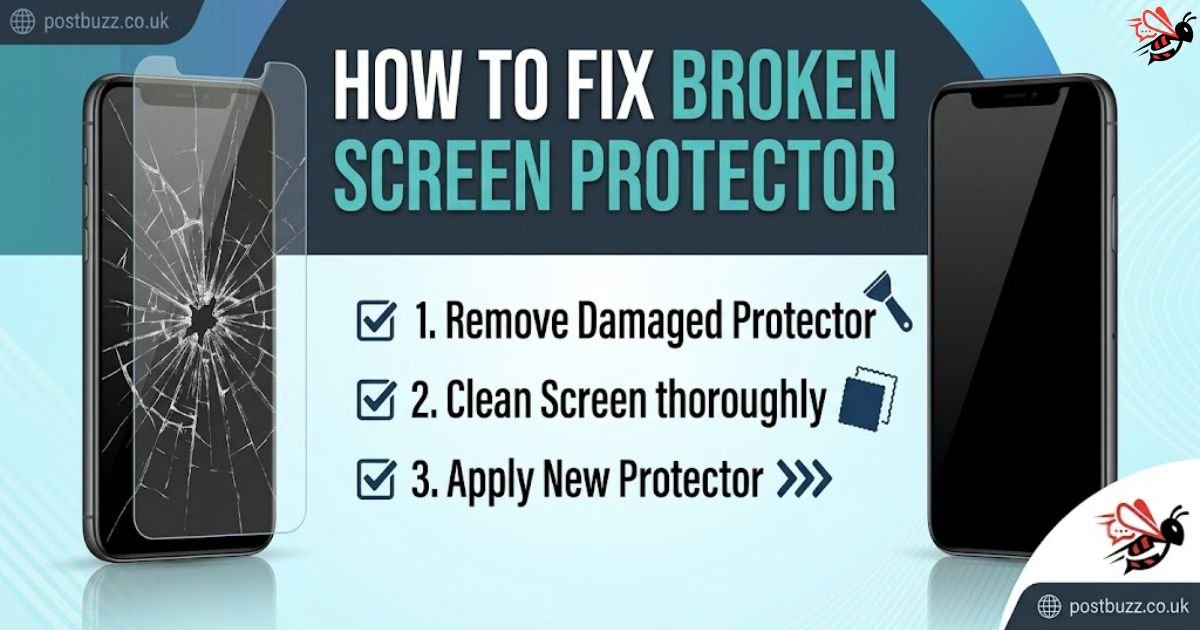
A cracked screen protector can feel frustrating, especially when your phone still works perfectly underneath. Many users search for how to fix broken screen protector, hoping for a quick repair. However, understanding what actually happens when a protector breaks is essential before taking action. In most cases, the damage is a sign that the protector has done its job by absorbing impact.
This guide is designed to give you a clear, practical, and updated approach based on real-world methods. Instead of relying on myths or risky shortcuts, you will learn the safest way to deal with a broken protector. From removal to replacement, every step is explained to help you protect your device and avoid unnecessary damage.
What Happens When a Screen Protector Breaks
A screen protector is built to act as a sacrificial layer. When your phone drops or faces pressure, the protector absorbs the impact and cracks instead of your actual screen. This is especially true for tempered glass protectors, which are engineered to break under stress to prevent deeper damage.
Once the protector is cracked, it loses its structural integrity. Even a small chip or fracture weakens its ability to handle future impacts. Over time, these cracks can spread, making the surface uneven and potentially dangerous. Leaving a broken protector in place may expose your screen to damage that could have been avoided with timely replacement.
Can You Really Fix a Broken Screen Protector
If you are searching for how to fix broken screen protector, it is important to understand the reality. A cracked screen protector cannot be permanently repaired. The material, especially tempered glass, loses its strength once broken, making it unreliable for future protection.
Some temporary solutions, such as applying tape or glue, may improve the appearance for a short time. However, these methods do not restore the protector’s original strength or safety. In fact, they can create additional risks, such as uneven surfaces or trapped debris. The most effective and recommended solution is always safe removal followed by proper replacement.
Signs You Should Replace Your Screen Protector
Recognising when to replace your protector can save your phone from serious damage. Visible cracks, chipped edges, and peeling corners are clear indicators that the protector is no longer effective. Even if the damage looks minor, it compromises the protector’s ability to absorb impact.
Another important sign is reduced touch sensitivity or clarity. If your screen becomes less responsive or harder to see, the protector is interfering with performance. Experts suggest replacing protectors immediately after any visible damage because a compromised protector no longer provides real protection.
Tools and Preparation for Safe Removal
Before starting the process of how to fix broken screen protector, preparing the right tools is essential. Using proper materials ensures safety and prevents accidental damage to your device. Common tools include a microfiber cloth, plastic card, toothpick, and optional tape for stabilising cracked glass.
Preparation also involves setting up a clean workspace. Turn off your phone, remove the case, and wash your hands to avoid dust or fingerprints. Working in a well-lit and flat area helps you see edges clearly and handle the protector with precision. These simple steps make the entire process smoother and safer.
How to Fix Broken Screen Protector Safely
The safest way to handle how to fix broken screen protector is by removing it carefully. Start by identifying a loose or slightly lifted corner. If the protector is tightly attached, applying gentle heat with a hairdryer can soften the adhesive and make removal easier.
Once a corner is lifted, use a plastic card or your fingernail to slowly peel the protector away from the screen. Avoid pulling too quickly, as this can cause further shattering. If the protector is heavily cracked, placing tape over it can help hold pieces together and prevent sharp fragments from scattering during removal.
Cleaning and Preparing the Screen
After removing the broken protector, cleaning the screen properly is a crucial step. Residual adhesive or dust can affect the performance of your new protector. Use a microfiber cloth with a small amount of isopropyl alcohol to gently wipe the surface until it is completely clean.
Avoid using harsh chemicals or excessive liquid, as this can damage your device. Cleaning should be done carefully to ensure no particles remain on the screen. A clean surface not only improves visibility but also ensures that the new protector adheres properly without bubbles or imperfections.
Applying a New Screen Protector Correctly
Installing a new protector is just as important as removing the old one. Begin by aligning the protector carefully with your screen’s edges and cutouts. Precision at this stage ensures a professional finish and prevents misalignment issues later.
Once aligned, gently place the protector on the screen and press from the centre outward to remove air bubbles. Taking your time during installation helps achieve a smooth, clean result. Proper application ensures maximum protection and improves the overall look and usability of your device.
Common Mistakes to Avoid
Many users make simple mistakes that can damage their phone during removal or installation. One of the most common errors is using sharp or metal tools, which can scratch the screen permanently. Always use plastic tools or fingernails to lift the protector safely.
Another mistake is applying too much heat when loosening adhesive. Excessive heat can damage internal components and weaken the phone’s structure. Pulling the protector too quickly is also risky, as it may cause it to shatter into smaller pieces. Working slowly and carefully is the key to avoiding these issues.
Choosing the Right Screen Protector
Selecting the right replacement protector plays a major role in long-term protection. Tempered glass protectors offer strong resistance against drops and impacts, making them the most popular choice for modern smartphones. They provide a balance of durability and clarity.
Other options include plastic film protectors, which are thinner and more flexible, and privacy protectors that limit viewing angles. Each type has its advantages, so choosing one depends on your needs and usage habits. Investing in a high-quality protector ensures better performance and longer-lasting protection.
Preventing Future Screen Protector Damage
Preventing damage is always better than searching for how to fix broken screen protector repeatedly. Using a durable phone case can significantly reduce the impact of drops and protect both the screen and the protector. Avoid placing your phone in pockets with keys or sharp objects that can cause scratches or pressure damage.
Regular maintenance also helps extend the life of your protector. Clean your screen frequently and replace the protector before it becomes severely damaged. High-quality protectors combined with careful handling can keep your device safe and reduce the need for frequent replacements.
Conclusion
Understanding how to fix broken screen protector is less about repairing and more about handling the situation correctly. While it may seem possible to fix cracks, the reality is that replacement is the only reliable solution. A damaged protector cannot provide the same level of protection and may even put your device at risk.
By following safe removal techniques and applying a new protector properly, you can maintain your phone’s safety and performance. With the right approach and preventive measures, you can avoid future damage and keep your device in excellent condition for longer.
FAQs
Can I fix a cracked screen protector without replacing it?
No, a cracked protector cannot be permanently repaired. Temporary fixes only improve appearance and do not restore protection.
Is it safe to keep using a broken screen protector?
It is not recommended because cracks weaken protection and may expose your screen to damage or cause minor injuries.
How do I remove a broken screen protector safely?
Lift a corner using a plastic tool, apply gentle heat if needed, and peel slowly to avoid breaking it further or damaging the screen.
Can I reuse a screen protector after removing it?
No, once removed, the adhesive and structure are compromised, making it unsuitable for reuse.
What is the easiest way to remove a stuck protector?
Applying low heat to soften the adhesive and using a plastic card to lift the edge is the safest method.
How often should I replace my screen protector?
You should replace it whenever it cracks, shows wear, or loses clarity to maintain proper protection.
You may also read: The Simptown Community – What Makes It Genuinely Different
