
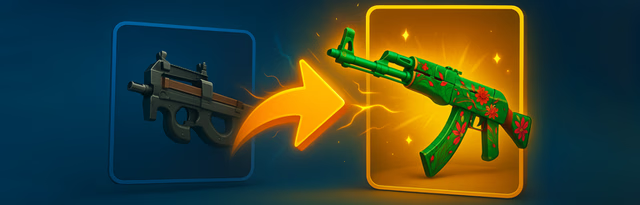
A cs2 upgrader can make a $20 skin look like a route to a $100 target, but those figures describe different things. One is the market value of an item. The other is its value within an upgrade system. A higher-priced target does not mean the attempt is worth as much.
How a CS2 Upgrader Assigns Value
An upgrader lets you pick items from your inventory and choose a target skin. It shows a success percentage before you confirm, based on the value of your items against the target. Platforms such as GudDrop work this way. If the attempt fails, you lose the items. If it works, the target goes into your inventory.
Many upgraders run on a provably-fair system. The site locks a hidden server seed, mixes it with your own, and runs both through a hashing method such as SHA-256. It later reveals the seed so you can rerun the math and confirm the odds used.
What the Value Gap Tells You
The bigger the gap between your items and the target, the lower the chance shown. A $40 attempt at a $60 skin has a small gap. The same $40 aimed at a $400 skin has a wide one.
What the Odds Mean Over Time
The success percentage also describes the average outcome over many attempts. A 20% chance at a $100 target using $20 in items averages out to about $20, close to what you put in. Upgraders set the odds a little below that break-even line, so the average attempt returns slightly less than it costs. Any one result can still swing big. The percentage shows the long-run pattern. It does not predict the next attempt.
Market Price Is Not One Fixed Number
The same skin can have several prices at once. SteamDB measured a median price dispersion of 198.4% across marketplaces in September 2026, meaning the highest and lowest prices for one item are far apart. CS2.IO compares 36 marketplaces and splits buyer cost from seller payout after fees. SteamAnalyst tracks skins across more than 30 marketplaces, with price histories and wear-specific listings. A target listed at $300 does not mean your $150 skin is worth half of it everywhere.
Why Skin Characteristics Complicate Comparisons
Headline prices leave out much of what sets a skin’s value. Wear, float, StatTrak, Souvenir status, pattern, and supply each change the price. Price sites list these variants separately, so two copies of the same finish can have different prices. Check the exact version, including wear and any StatTrak or Souvenir tag.
Check the Reference Price Before Upgrading
Before you use a cs2 upgrader, compare the target against current marketplace data instead of trusting the number in the interface. A listing price and the money you get after a sale are two different things. Steam takes 15% on a sale, while most third-party marketplaces take a median of about 3%, according to SteamDB. The gap between buy and sell prices takes more, with a median round-trip spread of 25.6%. Use the seller payout after fees to judge what a target is worth.
Seeing Upgrade Values More Clearly
A cs2 upgrader shows value as part of a chance-based trade. The percentage gives you the odds. Marketplace data, after fees, gives you the resale value. The two are not the same, so check both first. GudDrop shows the success chance up front and lets you compare it with current prices, so you decide on the full picture instead of the headline number. Weigh the odds against the payout before your next upgrade.
